★ 3.1k
December 2024
MIT
Writing & notes
What we checked ourselves
Not copied from the project's own blurb. These are things we opened and verified, with the date.
- 10 Sept 2026We checked that the link to the project still resolves.
- 13 Sept 2026We read the licence text itself (LICENSE.md). No unusual restrictions were stated.
- 3 Sept 2026We read the project's own documentation and found no sign that development has stopped.
Where this sits among the 52 tools we list in Writing & notes
- Works without using a terminal38 of 52
- Keeps your data on your own machine11 of 52
- Commercial use confirmed as allowed39 of 52
- Requires an API key27 that do not →
Only 6 of the 52 meet all of the conditions above.
Counted from our own checks: every tool we list is examined against the same criteria.
What it does
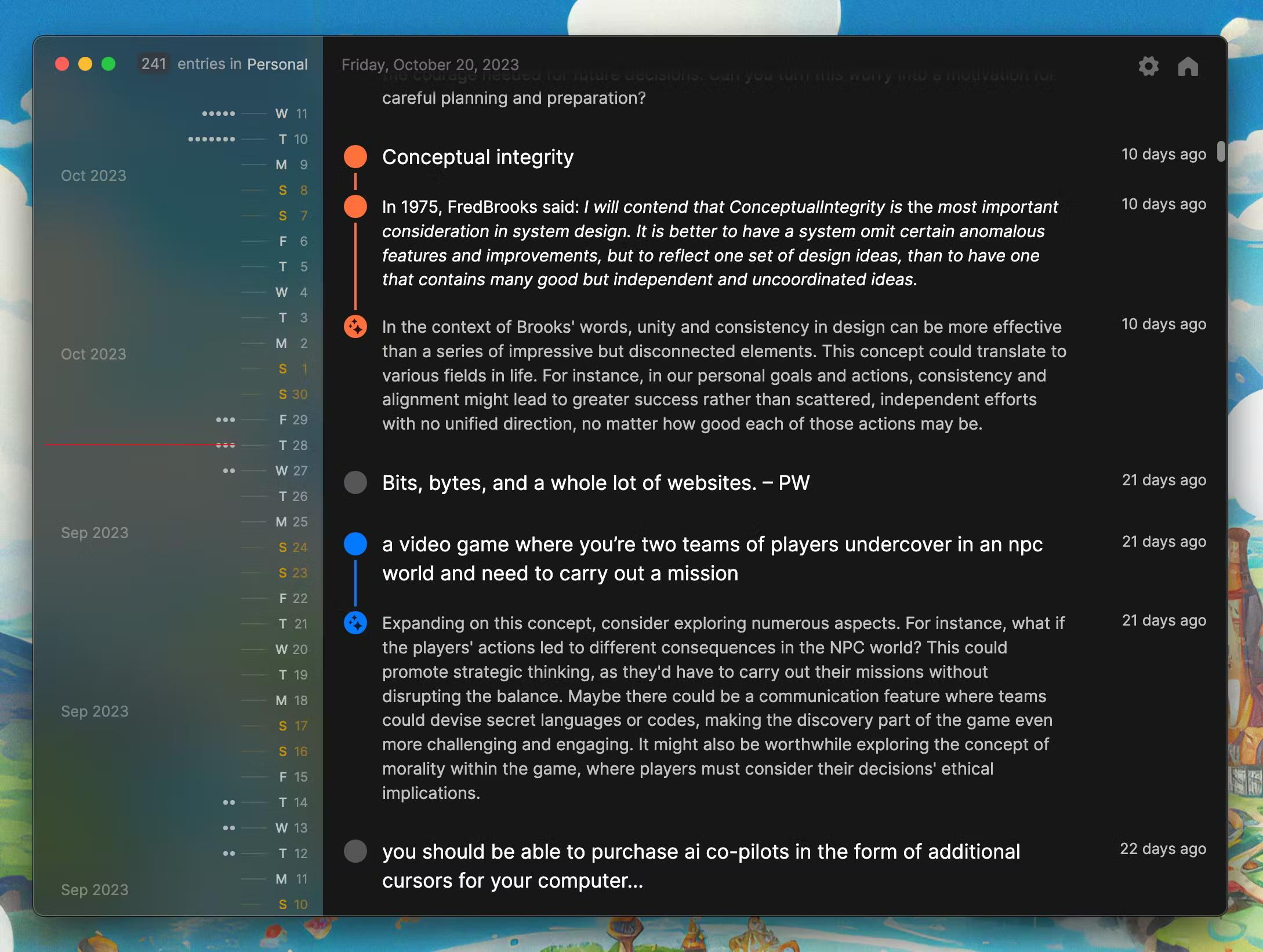
A quiet desktop app for reflective journaling where entries are stored locally on your own machine. Optionally, an AI can respond to what you wrote with prompts and observations - that part needs either an OpenAI API key or a local Ollama setup. Journals tend to be personal, so if you would rather nothing left the machine, use Ollama or simply skip the AI side. Builds for macOS and Windows.
Summary based on the project's own description. The Japanese page has a fuller beginner guide: setup difficulty, what to prepare, and a step-by-step start.
Screenshots & visuals
Before you start
- Setup difficultyFor advanced users
- Command lineNot required
- API keyRequired
- Sends data onlineNo
Judged automatically from the project's own metadata. Always confirm on the official page.
Pile FAQ
- Is Pile free?
- Pile itself is free, but it needs an API key for an external AI service. That service charges separately, though some have a free tier.
- Do I need to install anything or write code to use Pile?
- You install it like a normal desktop app. No command line involved.
- Does Pile work on a phone?
- No. It needs a computer.
- Can I use Pile commercially?
- The licence is MIT, which permits commercial use. Conditions such as keeping the copyright notice still apply, so read the licence text before shipping it inside something.
How it compares
The conditions that decide whether you can actually use it, side by side.
| Tool | Command line | API key | Sends data out | Phone | Commercial use |
|---|---|---|---|---|---|
| Pile (this page) | Not needed | Required | No | No | Yes |
| lotti | Not needed | Not needed | No | No | Yes |
| memex | Not needed | Required | Yes | Yes | Yes |
| prompts.chat | Not needed | Not needed | Yes | No | With conditions |
"Sends data out" means your input is uploaded to someone's server. Pick "No" when the material cannot leave your organisation.