Voice & audio
voicebox
A free all-in-one local voice studio: text to speech, cloning and dictation
★ 52k
August 2026
MIT
Voice & audio
What we checked ourselves
Not copied from the project's own blurb. These are things we opened and verified, with the date.
- 6 Sept 2026We checked that the link to the project still resolves.
- 13 Sept 2026We read the licence text itself (LICENSE). No unusual restrictions were stated.
- 30 Aug 2026We read the project's own documentation and found no sign that development has stopped.
Where this sits among the 119 tools we list in Voice & audio
- Works without using a terminal93 of 119
- No API key required114 of 119
- Keeps your data on your own machine31 of 119
- Commercial use confirmed as allowed56 of 119
Only 10 of the 119 meet all of the conditions above.
Counted from our own checks: every tool we list is examined against the same criteria.
What it does
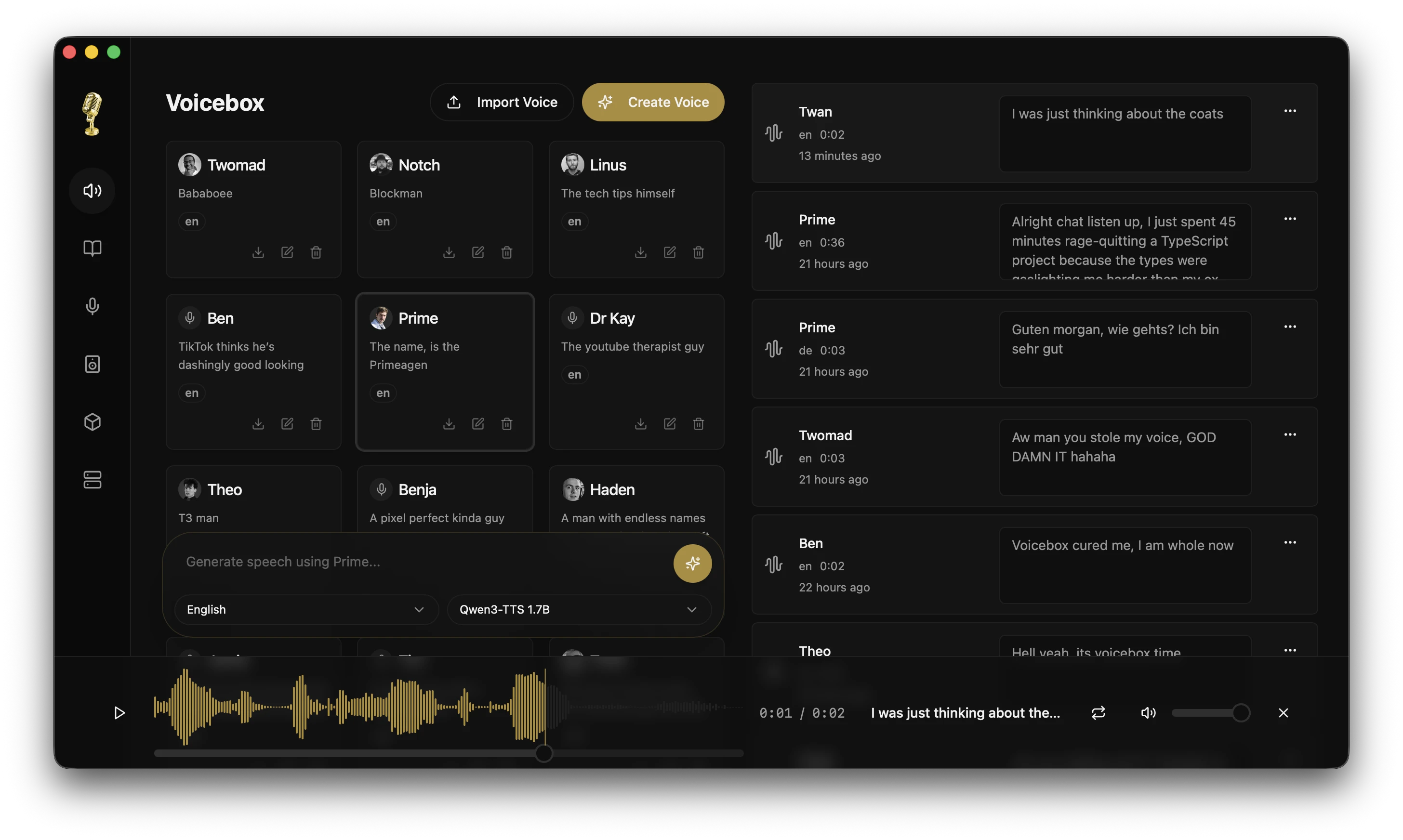
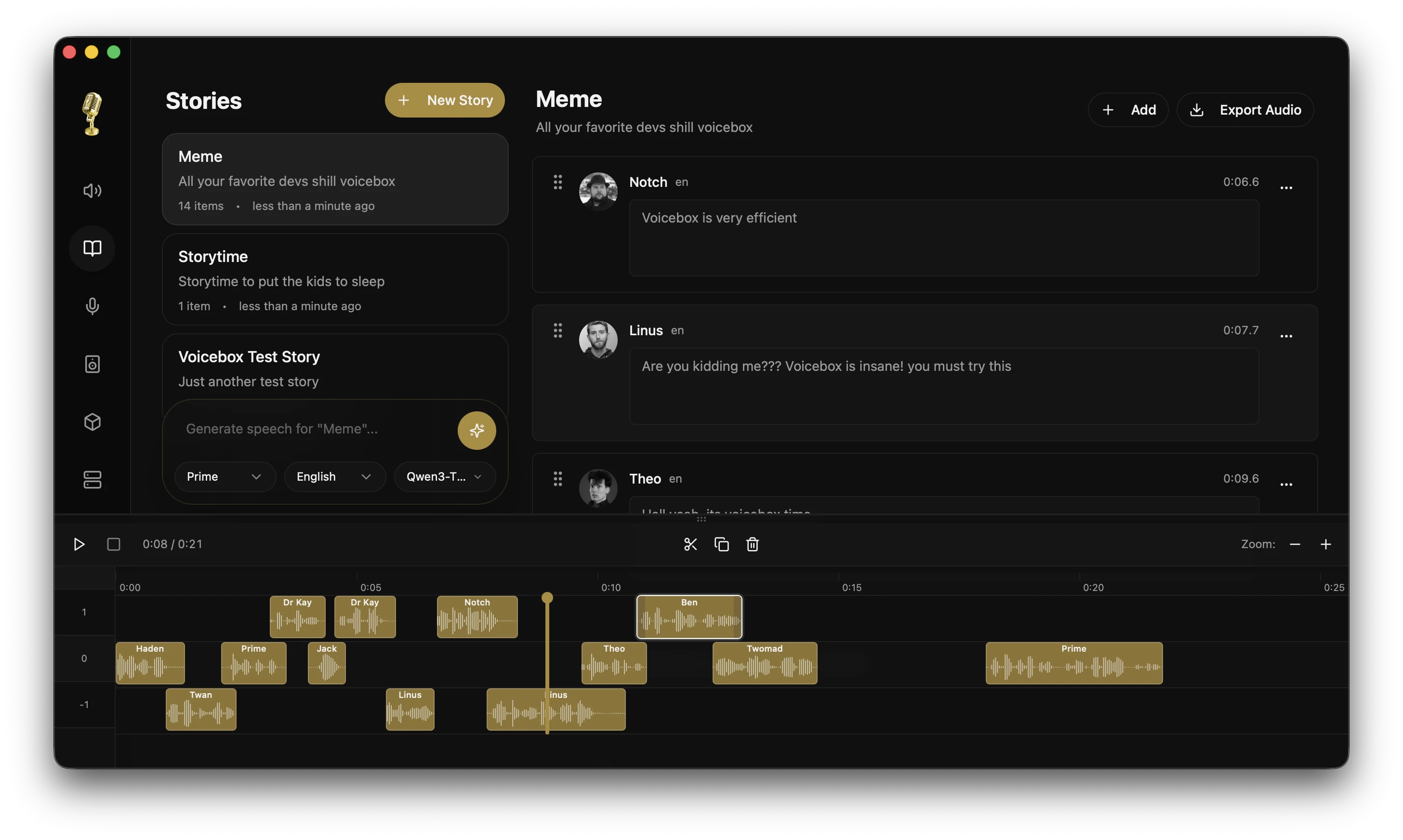
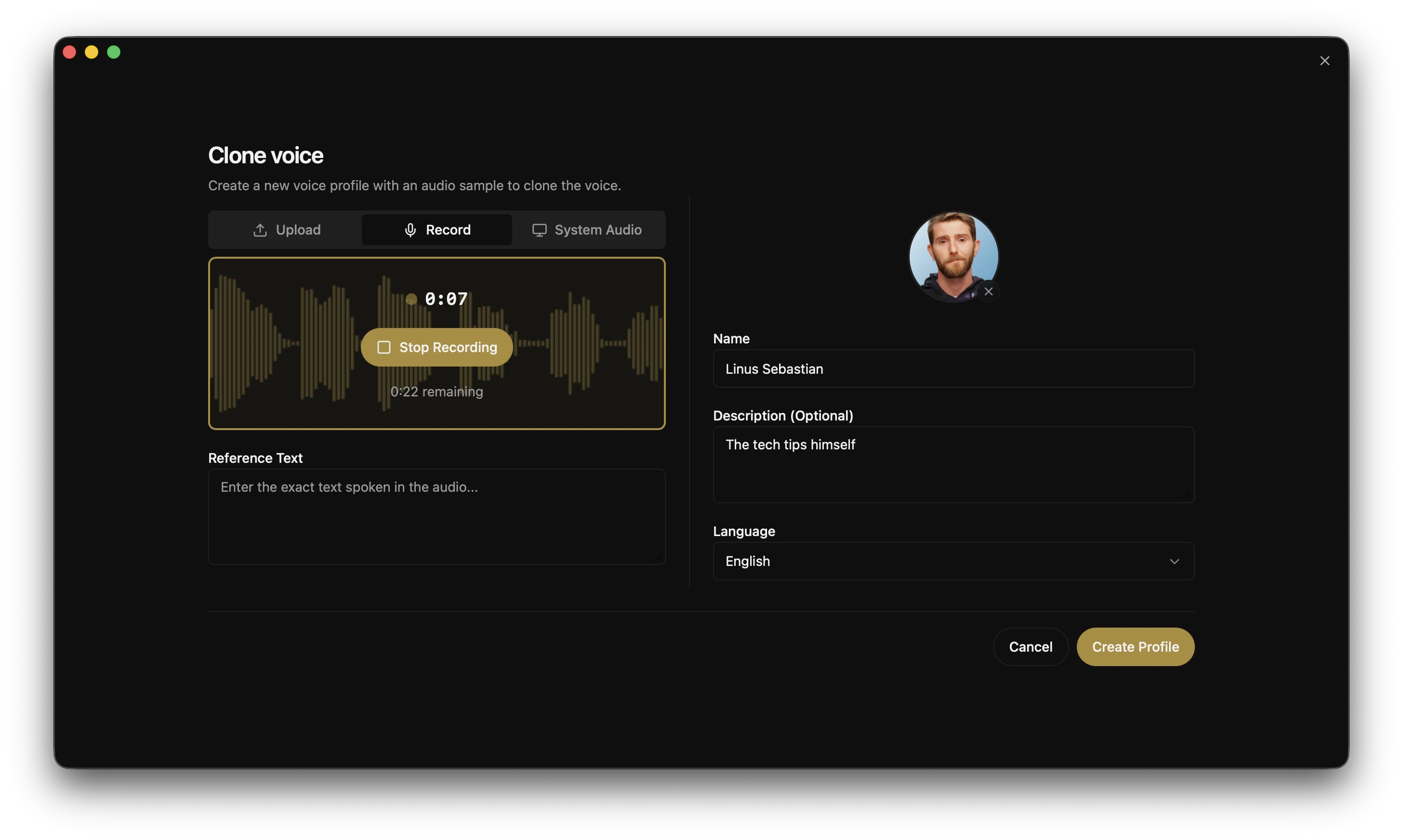
Combines the pieces of voice work that usually need separate services: reading text aloud, reproducing a specific voice from a few seconds of reference audio, and hold-a-key dictation into any text field. Everything runs on your own machine, so recordings and voice data never leave it. Seven speech engines and 23 languages are supported, with fifty-plus ready-made voices, and installers exist for macOS, Windows and Linux. Cloning someone's voice without their permission can amount to impersonation, so restrict it to your own voice or voices you have consent to use.
Summary based on the project's own description. The Japanese page has a fuller beginner guide: setup difficulty, what to prepare, and a step-by-step start.
Screenshots & visuals
Before you start
- Setup difficultyEasy to start
- Command lineNot required
- API keyNot required
- Sends data onlineNo
Judged automatically from the project's own metadata. Always confirm on the official page.
Before you use someone else's face or voice
Recreating a person's face or voice without their informed consent, and publishing material that shows them saying or doing something they did not, can amount to defamation or a violation of personality and publicity rights, with civil and criminal consequences. Sexual content, or impersonation for financial gain, is treated far more seriously. Work only with your own likeness, or with material where the person has agreed to both the content and where it will appear. Running the tool locally protects your data - it does not make publishing the result lawful.
voicebox FAQ
- Is voicebox free?
- Yes. It runs on your own machine, so there is no usage-based cost either.
- Do I need to install anything or write code to use voicebox?
- You install it like a normal desktop app. No command line involved.
- Does voicebox work on a phone?
- No. It needs a computer.
- Can I use voicebox commercially?
- The licence is MIT, which permits commercial use. Conditions such as keeping the copyright notice still apply, so read the licence text before shipping it inside something.
How it compares
The conditions that decide whether you can actually use it, side by side.
| Tool | Command line | API key | Sends data out | Phone | Commercial use |
|---|---|---|---|---|---|
| voicebox (this page) | Not needed | Not needed | No | No | Yes |
| Kokoro-TTS | Not needed | Not needed | Yes | No | Yes |
| Text-To-Speech-Unlimited | Not needed | Not needed | Yes | No | Not verified |
| Edge-TTS-Text-to-Speech | Not needed | Not needed | Yes | No | Not verified |
"Sends data out" means your input is uploaded to someone's server. Pick "No" when the material cannot leave your organisation.